Overview
Overview
Dockview supports a range of built-in drag and drop behaviours.
Position a tab between two other tabs

Position a tab at the end of a list of tabs

Merge one group with another group

Move both tabs and groups in relation to another group
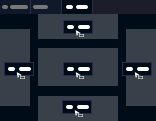
Move both tabs and groups in relation to the container
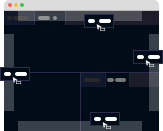
Touch and pen input
Mouse drags use the browser's HTML5 drag-and-drop. Touch and pen drags are driven by a pointer-events backend with a long-press-to-drag gesture, so taps and native scroll still work on mobile. The backend is selected automatically and can be overridden. See Dnd Strategy for the dndStrategy option and the full gesture table.
Advanced drag-and-drop hooks
Dockview exposes advanced drag-and-drop hooks (onWillDragPanel, onWillDragGroup, onWillDrop and onWillShowOverlay) for attaching metadata to drags, cancelling a drag, or customising the drop overlay. See Dnd and External Dnd Events for details.
Going further
- DnD compass: show a VS Code-style aim-at-a-cell compass while dragging, or override where a drop lands with a pluggable position resolver.
- Smart Guides: alignment snapping and guide overlays for floating groups.